ICU's Q&A Group on Telegram Messenger ⁉️
Tim's new Q&A group on the Telegram Messenger app (runs on your mobile phone or computer) extends the monthly ICU Zoom Q&A into an ongoing format where members can post written questions anytime, and rather than replying in text, like in the Facebook group, Tim will respond with audio messages - we get 24/7 access to clarity from Tim & he gets to refine the spoken delivery of his big ideas! A win-win for everyone ☺️
Ready to Join? Click on the video tutorial or follow the written instructions below! ☺️

Written Instructions for Getting Started on your Mobile Device
🚨Telegram already loaded on your device? Skip steps 1 & 2!
1. Download the Telegram Messenger app
If you don't already have the Telegram Messenger app, download it from the app store on your Iphone, Android or tablet device. It's also possible to use it on your computer desktop - scroll down to the FAQ's at bottom of page for more info on this!
2. Open the app & follow the account creation prompts
When using Telegram Messenger for the first time, it will walk you through the quick account creation process which involves connecting the app to your phone number and verifying it.
3. Click this invitation link
✅ Then Wait for Telegram to automatically open on your device, and tap the "Join The Group" button💡 If you receive a prompt saying "This site is trying to open another application," click "Allow"
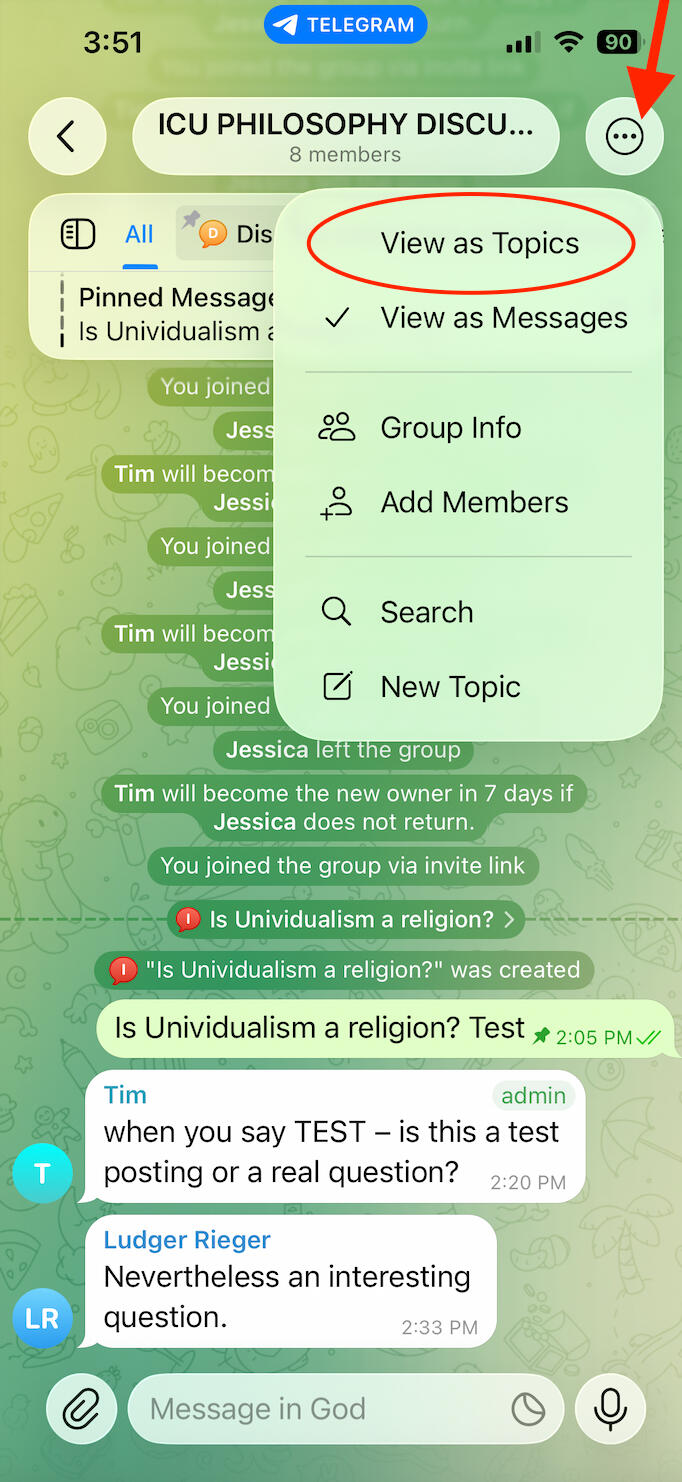
4. Selecting the 'View as Topics' Layout
🚨VERY IMPORTANT STEP
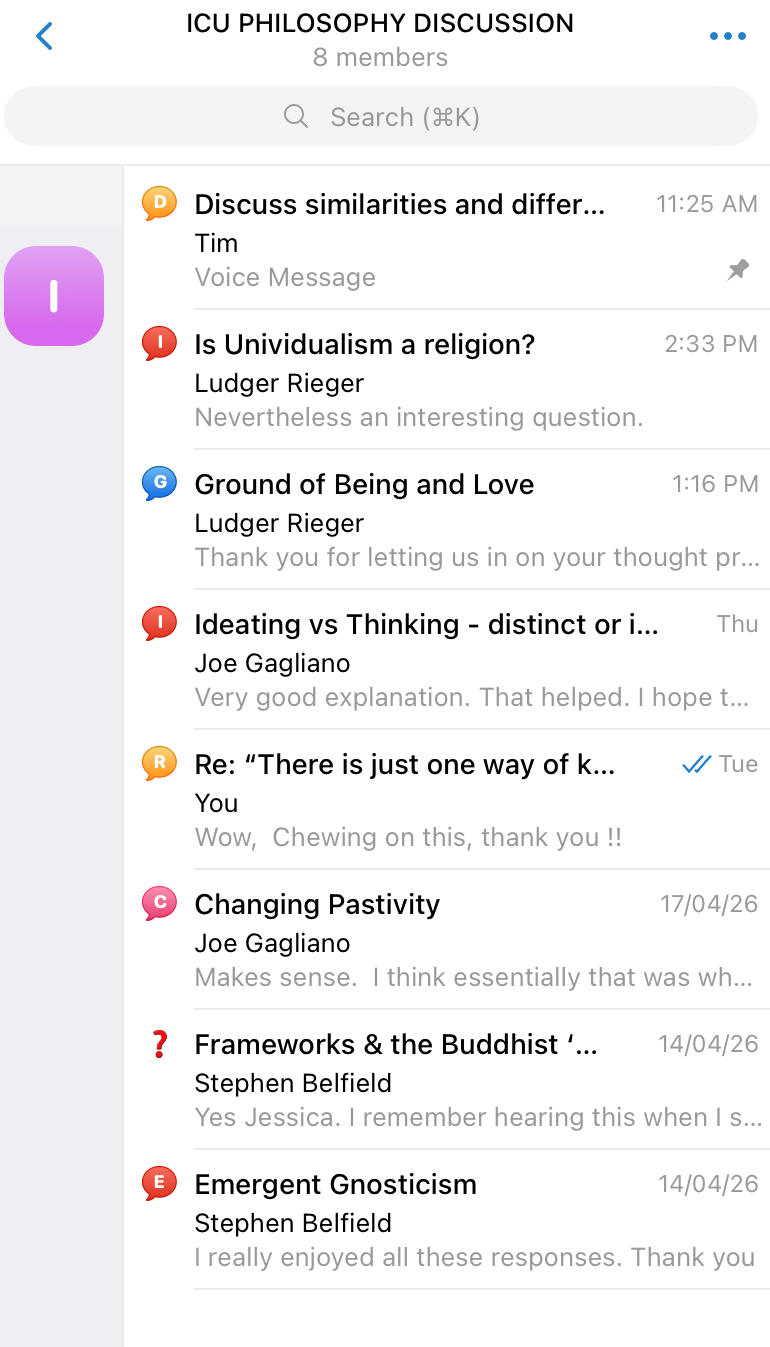
The very first thing to do once you've tapped the "Join the Group" Button is to tap the icon at the top right of the app that looks like three black dots and select the "view as topics" option from the menu
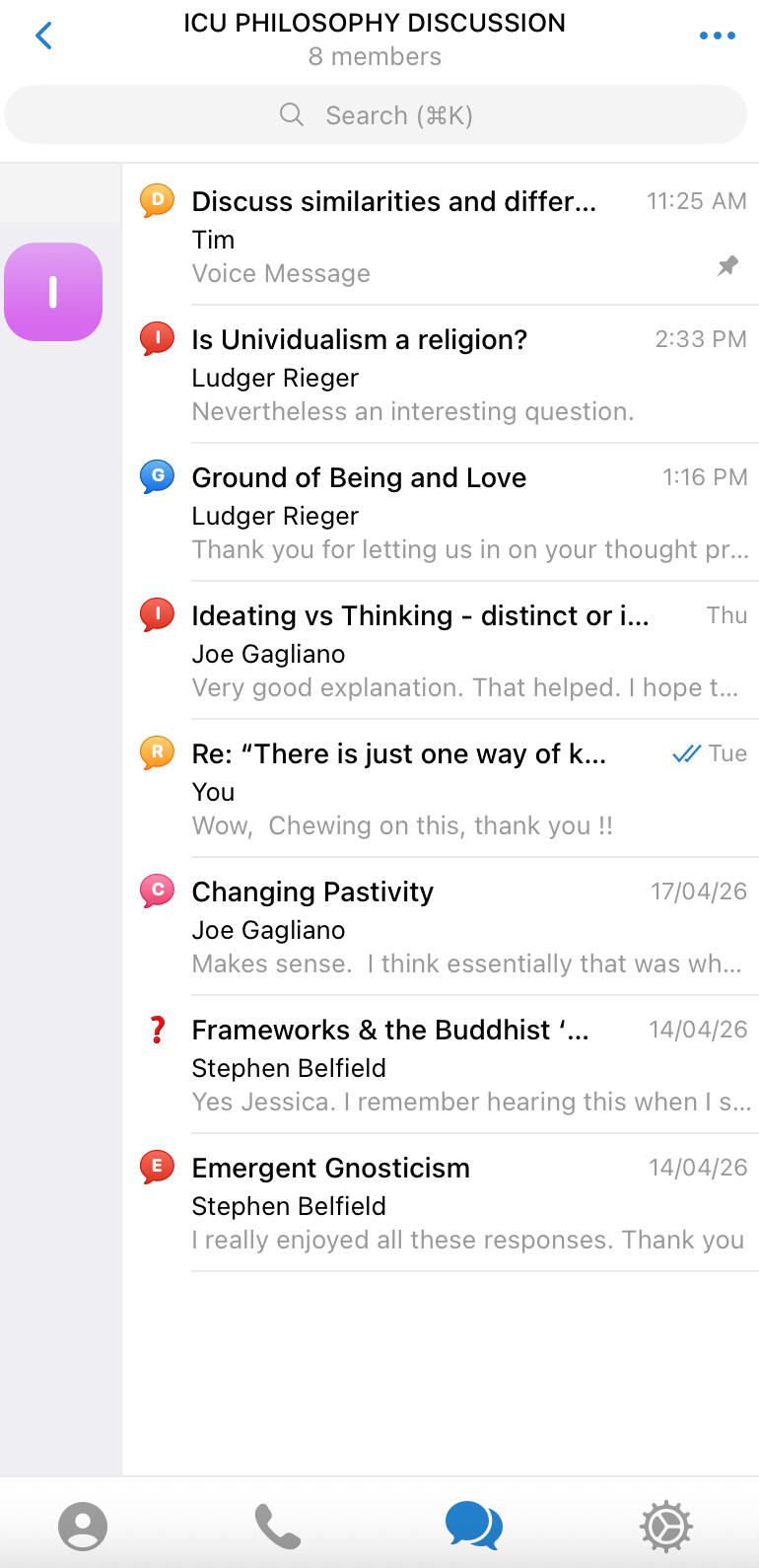
It should now look like this ⬇️
5. How to Submit a Question
ℹ️ You don’t have to ask a question to participate—feel free to explore and engage with existing Q&A threads.
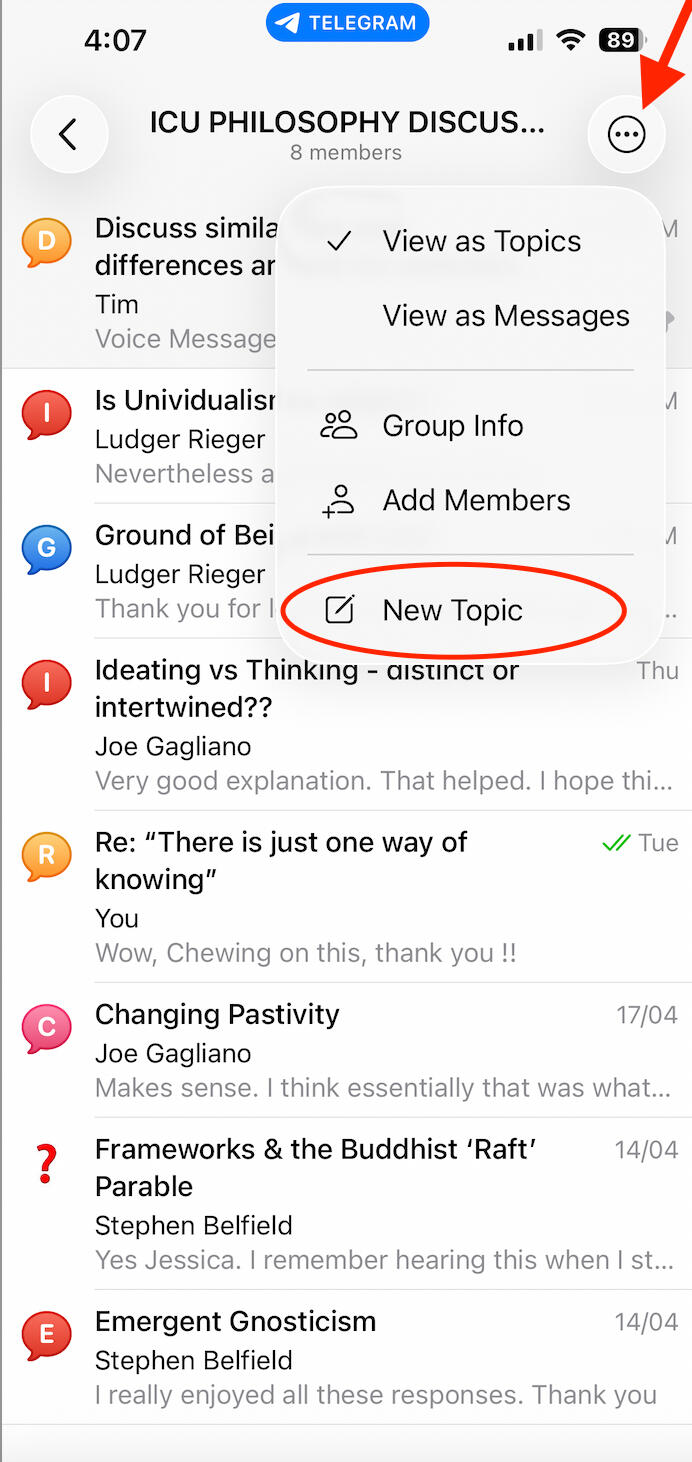
✅ To submit a question, tap the three black dots icon at the top right & select "new topic" or "create topic" from the menu
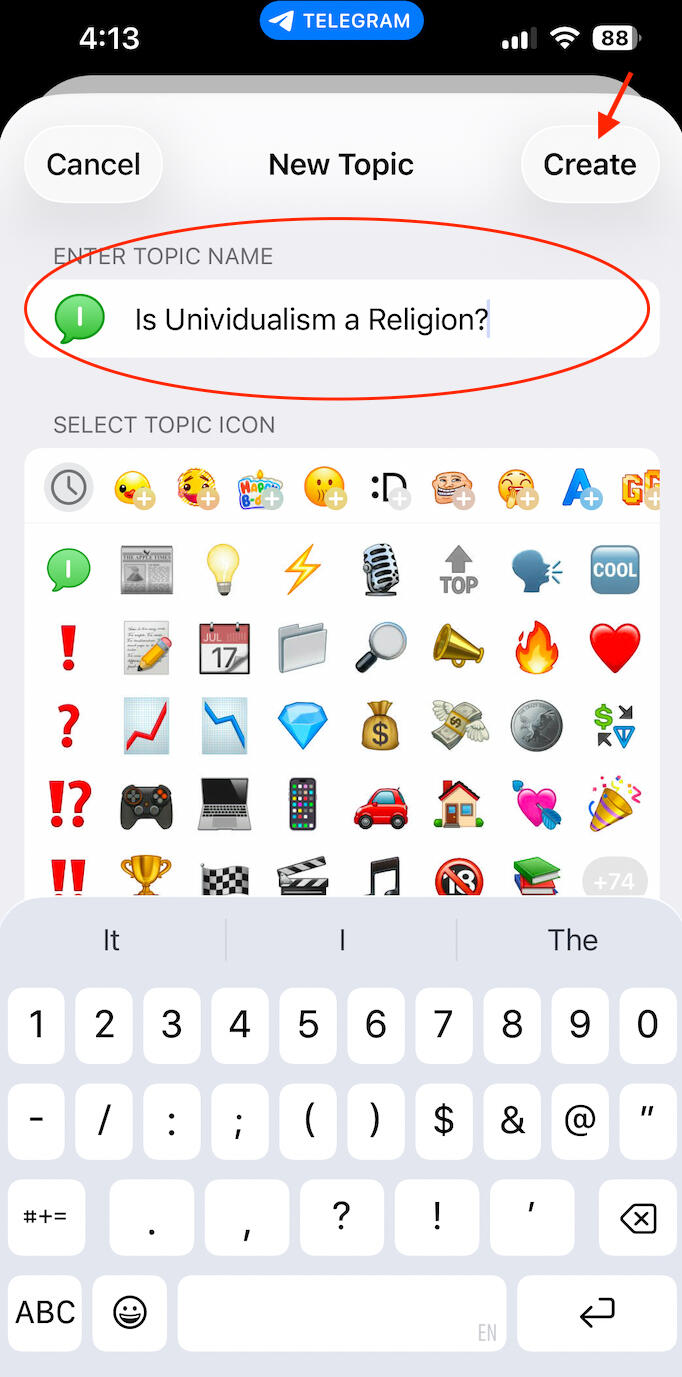
✅ Give your question a name & tap "Create"I.e. "Is Unividualism a religion?" or "Epistemology question"
Optional: Under 'select topic icon,' pick a fun emoji to display next to your question
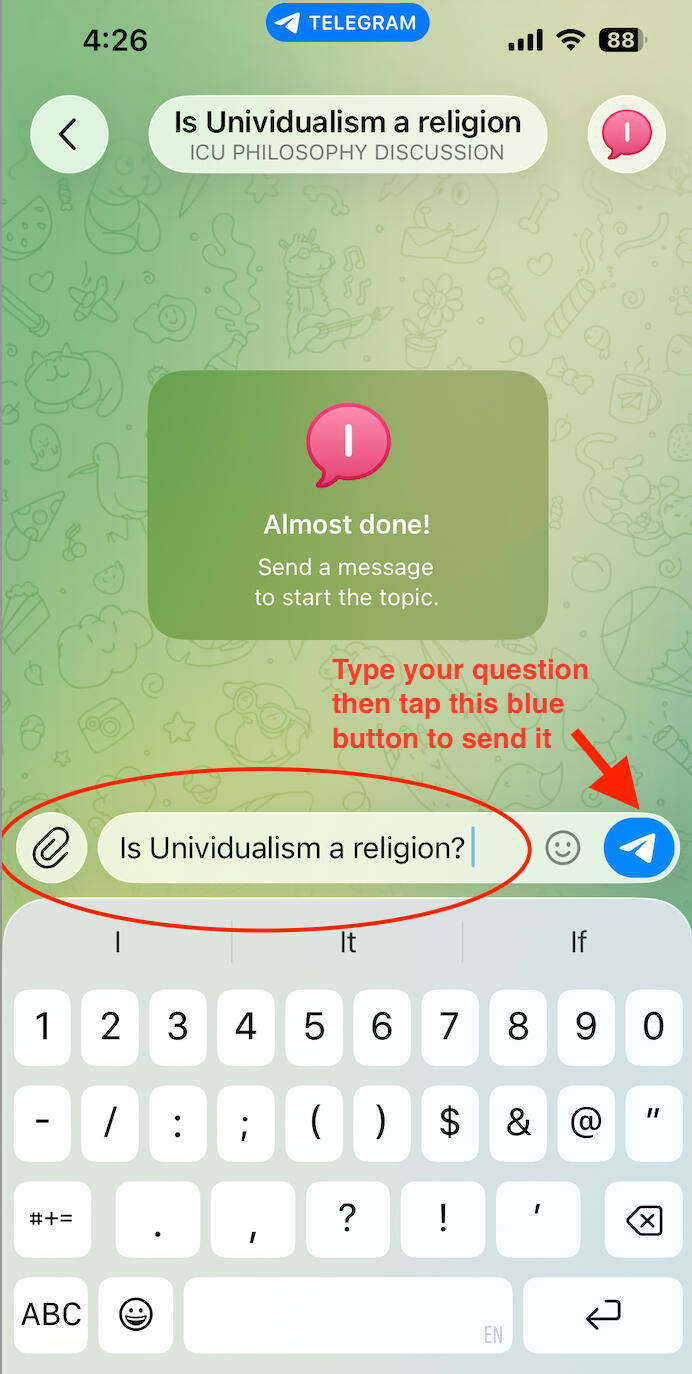
✅ Type your question into the message field and tap the blue icon on the right to send it!
Congratulations! You've just posted your first question & all you need to do now is wait for Tim's reply ☺️
🙋FAQ/Guidelines
Can I post my questions or replies as audio messages? No, please TYPE out all questions and replies 🙏
What if I need technical help with getting started on Telegram? If it is general Telegram technical support please first see if you can get your question answered in Telegram's help center at this link https://telegram.org/faq and if you are stuck with something specific to setting up the ICU group and how to navigate it you can email Jessica Nathanson at [email protected]
How do I join the group if I'm using the desktop version of Telegram? Once you've set up Telegram Messenger on your desktop, you can join the group by clicking on the following invitation link:
How do I download Telegram to my desktop computer/laptop?
^Click "Show All Platforms" to download Telegram to a PC